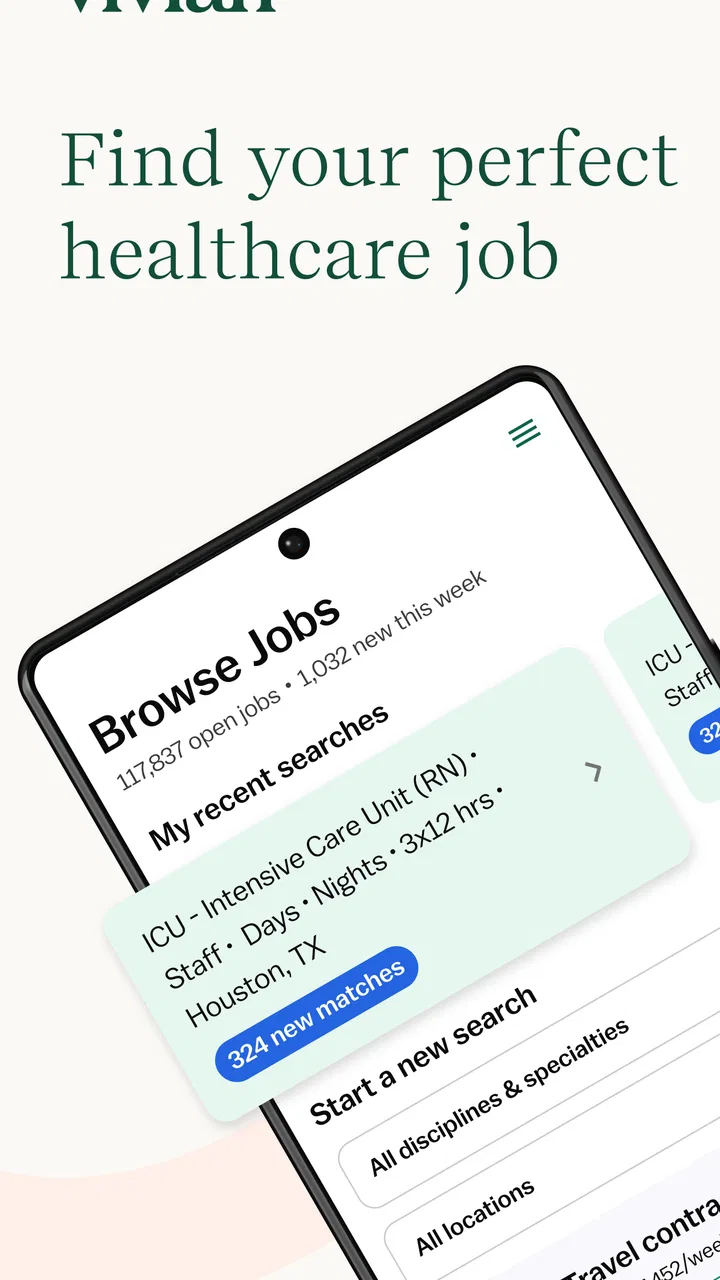
Vivian - Find Healthcare Jobs
- 4.6
- Rating
- 100.00K
- Installs
- Free
- Price

 Analysis by App-foxy
I tested Vivian as a healthcare job-search app, but I also looked at it through a practical household lens: what happens when a phone or tablet is shared, when someone is helping a relative search, and when several people need to keep their job-hunting details separate. My overall impression is that Vivian is most useful as a focused marketplace for healthcare professionals, not as a general employment app. It gives the search a clearer direction than a broad jobs board, while still requiring the user to check every opportunity carefully before applying.
That focus matters because healthcare work is not one single type of career. A nurse, medical assistant, therapist, technician, pharmacist, or other healthcare worker may be looking for very different schedules, locations, employers, and qualifications. A general search app can bury those distinctions among unrelated vacancies. Vivian feels more purposeful when the person using it already knows they want to work in healthcare and wants a place built around that decision.
Using Vivian in a shared household
A realistic example is a household where one person is changing jobs while another family member helps with the search. The job seeker might use Vivian on a phone, then hand the device to a partner or parent to compare a listing, read details, or help organize the next step. In that situation, the app is easy to understand as a job-search tool, but the account itself should still be treated as personal. A shared device does not make a shared application profile a good idea.
You May Also Like

 Blood Strike: 2.5 Anniversary
Blood Strike’s Loadouts Turn Every Drop Into a Tactical Gamble
A close look at Blood Strike’s custom loadouts: how fast access to signature weapons reshapes its battle royale rhythm, rewards preparation, and narrows the gap between fights.

 Pandora - Music & Podcasts
Pandora’s Music Is Easy to Start, but Harder to Recover
Pandora’s strength is its low-effort path from a seed to a station. Its weak spot is how much confidence it asks you to place in connection, setup, and quiet recovery.

 8 Ball Pool
 Is Built on Rivalries, Rematches, and Routine
A close look at the rivalries, rematches, shared routines, and unanswered safety questions that turn a quick pool match into a persistent mobile community.

 Samsung Music
’s Quiet Strength Is Playing What You Already Own
Its reach comes less from spectacle than from dependable access to a personal library. That simplicity is both the app’s strongest retention engine and its ceiling.

 AccuWeather: Weather Radar
AccuWeather Review: A Quick, Clear Forecast for Everyday Decisions
For everyday plans, the best forecast is the one you can understand quickly. AccuWeather makes rain timing, radar, and local conditions easy to act on, with a few trade-offs.

 Hill Climb Racing
Why Hill Climb Racing Still Turns Crashes Into One More Run
A tiny car, a bumpy hill and one more upgrade: Hill Climb Racing keeps resurfacing because its simple chaos makes every near-miss feel personal.
More From Our News Desk



I would keep one person’s search activity separate from another person’s. Healthcare applications can involve professional history, contact details, license information, and employment preferences. Even when a relative is helping, the safest workflow is for the applicant to remain the person controlling the account and reviewing anything submitted. The helper can discuss a vacancy or read information aloud, but should not casually alter the applicant’s profile or apply on their behalf without clear agreement.
This is one of the app’s less obvious practical lessons: shared access to a screen is not the same as shared ownership of a job search. If two healthcare workers in the same home are both looking for work, I would use separate accounts and separate email addresses. That avoids mixing locations, specialties, resumes, saved opportunities, and application decisions. It also makes later conversations with employers much less confusing.
Vivian is free to use, which makes it approachable for someone starting a search without wanting another subscription. The app is developed by Vivian Health, and its store presence places it in the medical category rather than among broad recruitment tools. That positioning is helpful for a healthcare professional, but it also sets a clear boundary: someone searching for retail, office, construction, or unrelated work would probably get more value from a general employment platform.
What the first search is really for
I would not begin by scrolling aimlessly. The better approach is to decide what must be true about the next job before opening the results. For example, a user might need a particular clinical setting, a manageable commute, a certain shift pattern, or a role matching an existing qualification. Starting with those priorities makes Vivian more useful because the marketplace can support a targeted search instead of becoming another endless list of vacancies.
One useful habit is to separate “interesting” from “realistic.” A listing may look attractive because of its title or location, yet still be unsuitable because the schedule, credential expectations, or work setting do not fit. I found that a healthcare job app rewards slower reading more than rapid swiping. The search stage is only the beginning; the important work is checking whether the position actually matches the person’s professional situation.
Setting boundaries before someone helps
When a family member or friend is involved, I would agree on the boundaries before sharing the device. The applicant should decide which locations are acceptable, which shifts are off the table, and whether the helper is only comparing listings or also assisting with applications. That small conversation prevents a common problem: a well-meaning person sending the search in a direction the professional never wanted.
I also recommend reviewing each listing together rather than forwarding every appealing result. A healthcare role can sound familiar while requiring a different work environment or level of responsibility. The person who holds the relevant training and experience should make the final judgment. Vivian can help surface opportunities, but it cannot replace the applicant’s knowledge of their own credentials, availability, commute tolerance, and career goals.
This is especially important for younger people in a household. The app has an Everyone content rating, but that does not mean every job is suitable for every age or experience level. A job marketplace can be appropriate to browse while the actual role may require professional education, authorization, or experience that a younger user does not have. Parents or guardians can help explain those distinctions, but they should not treat the age rating as a career-eligibility check.
Keeping a job search coordinated
Coordination is where Vivian can become genuinely useful in a household. One person can search while another keeps track of practical questions: Is the commute reasonable? Does the shift conflict with childcare? Would the role fit around an existing commitment? Instead of sending dozens of screenshots, I would discuss a small group of serious possibilities and record the reasons for keeping or rejecting each one outside the app.
That workflow reduces duplication. If several people are helping a healthcare worker, it is easy for one person to recommend a vacancy that another already dismissed. A simple shared note can include the employer name, role, location, shift, and the question that still needs an answer. I would avoid putting sensitive account credentials in that note. The goal is to coordinate decisions, not to create a second unofficial profile scattered across family devices.
Another practical tip is to give every search session a purpose. One session might be for discovering employers in a preferred area. Another might be for comparing schedules. A later session might be for reviewing the details of the strongest options. This is more effective than repeatedly opening the app without a plan, particularly for someone who is already tired from work or anxious about changing jobs.
The app’s scale is noticeable: the service is described as having more than two million users, while its Android listing shows over one hundred thousand installs. Those figures suggest a substantial audience, but they should not be mistaken for a guarantee that every local specialty or shift will have a perfect match. A large marketplace can improve discovery while still requiring patience in a smaller town or highly specific field.
Account separation on a family phone
If the phone belongs to the household rather than to one person, I would be deliberate about who remains signed in. A healthcare professional may be comfortable showing a listing to a partner, but leaving an account open on a shared device can lead to accidental changes or confusion about who is conducting the search. The cleanest arrangement is one account per applicant, with the applicant checking the profile before any serious application step.
I would also avoid assuming that a relative’s device habits are suitable for professional job hunting. A child may use the same tablet for games, a partner may use it for shopping, and a parent may use it for email. That mixed environment is not a reason to avoid Vivian, but it is a reason to pause before entering personal information. Use the app for discovery and review, then make sure the applicant knows exactly what information is being used and where the next step leads.
For households with multiple healthcare workers, separate search goals are just as important as separate accounts. One person may want a first role after training, while another may be seeking a move away from a current specialty. If both people search under the same identity, the results and decisions lose their meaning. I would rather spend a little time setting up clear boundaries than repeatedly correct a mixed-up search.
Trust, age, and professional judgment
Vivian is not a social app, and I would not use it as a casual browsing space for children. Its Everyone rating describes the general audience suitability of the app, not whether a child is qualified for a healthcare position. Parents can use the app as an opportunity to explain how professional roles work, why credentials matter, and why a job listing should be verified before anyone shares personal information.
For an adult healthcare worker, trust has a different meaning. The app can help discover roles, but the user still needs to read the employer details, understand the position, and decide whether the opportunity is credible and appropriate. I would not rely on a promising title alone. A careful applicant should confirm the practical details through the normal hiring process and remain alert to requests that feel unrelated to a legitimate application.
This is where Vivian compares favorably with a broad jobs app but also shows its limits. Its healthcare focus can make discovery more relevant than searching the entire employment market. However, a general platform may be better for someone who wants to compare healthcare work with administrative, education, or nonmedical alternatives. Likewise, a professional network may be stronger for maintaining contacts and presenting a long-term career identity, while Vivian is more directly useful when the immediate goal is finding healthcare vacancies.
I would also avoid treating the app as a substitute for personal networking. A former colleague, instructor, or professional contact may know details about a workplace that a listing cannot communicate. Vivian is strongest as a structured starting point and comparison tool. It is weaker when the user expects the app alone to judge workplace culture, management quality, or whether a position will be personally sustainable.
What the ratings and version tell me
The app has an average rating of 4.6 from around four thousand ratings, which is encouraging, although ratings are best treated as a general signal rather than a promise about every user’s experience. A job search depends heavily on location, specialty, timing, and the quality of available listings. Someone in a major healthcare market may experience the marketplace differently from someone seeking a narrow role in a small area.
The current version is 2.1.48, and the listed minimum operating system is Android 7.0. That makes the app accessible on older Android phones, which is useful in a household where not everyone has a recent device. Still, an older phone can make typing, switching between listings, and reviewing application details less comfortable. I would use the larger screen available when comparing several opportunities, while keeping the applicant’s account under their control.
The store listing shows around three hundred reviews in addition to the broader ratings total. I see that as a reminder that individual experiences can vary. Some users may value the healthcare focus and straightforward discovery, while others may be frustrated when a listing does not fit their exact needs or when the next application step requires work outside the app. Neither reaction cancels the other; both are normal for a marketplace connecting different kinds of employers and professionals.
Where Vivian fits in a serious job search
My preferred workflow is to use Vivian for the first pass, then move into verification and preparation. I would search by the role and location that matter most, read the full listing, and make a short list. After that, I would compare the requirements with the applicant’s actual background rather than applying to everything. This saves time and produces a more intentional search.
For a person returning to healthcare after time away, the app may be helpful for understanding what kinds of roles are visible in the current market. For someone newly qualified, it can provide a way to see how employers describe entry-level opportunities. For an experienced professional, it may be most valuable when exploring a move to another setting or location. In each case, the app supports discovery, but the user has to supply the professional judgment.
The trade-off is focus versus breadth. Vivian’s medical orientation reduces irrelevant results, but it may also feel narrow to someone still deciding what kind of work they want. A general jobs app may offer more categories and broader employer coverage. I would choose Vivian when healthcare is already the central goal, and I would use another service alongside it when the search includes nonmedical careers or when professional networking is the main priority.
It is also worth remembering that a marketplace is not the same as an employer. Vivian helps bring opportunities together, but the final relationship is with the organization offering the role. I would check the details carefully, prepare questions before responding, and avoid assuming that an attractive listing answers practical issues such as scheduling, supervision, training, or long-term progression.
My household verdict
After using Vivian with a shared-use scenario in mind, I see it as a sensible free tool for healthcare professionals who want a focused place to begin looking for work. Its medical category, healthcare-specific purpose, and large user base make it more relevant than a general job board for the right audience. The Everyone rating and support for Android 7.0 also make it approachable across a mixed household, though neither point removes the need for adult judgment and careful account handling.
I would recommend it to a nurse, technician, assistant, therapist, pharmacist, or other healthcare worker who is ready to search with clear priorities. I would not recommend making it the only tool for someone who needs detailed professional networking, broad career exploration, or a complete assessment of workplace quality. It is also not the right choice for a household that wants one shared profile for several applicants; separate identities and clear boundaries are much safer.
The best result comes from treating Vivian as a focused discovery workspace rather than an automatic career adviser. Decide who owns the search, keep household helpers in a supporting role, compare serious options carefully, and verify the details before moving forward. With that approach, Vivian - Find Healthcare Jobs can make a healthcare job search more organized without pretending to make the important decisions for you.
My final recommendation is positive but specific: use it when healthcare employment is the destination, not merely one possibility among many. If that describes your situation, Vivian - Find Healthcare Jobs is worth trying as part of a careful, personal job-search routine.
FAQs for Vivian - Find Healthcare Jobs
01What is Vivian - Find Healthcare Jobs?
Vivian - Find Healthcare Jobs is a mobile job-search platform designed for healthcare professionals. It brings together nursing, allied health, travel healthcare, per diem, and permanent job opportunities in one place. After creating a profile, users can browse openings, compare pay and benefits, review job details, and connect with recruiters or staffing agencies directly through the app.
02Who can use Vivian to find healthcare jobs?
Vivian is mainly intended for healthcare professionals, including nurses, therapists, technicians, medical assistants, and other clinical workers searching for new employment opportunities. Some listings may require specific licenses, certifications, experience, or education. Before applying, carefully review each posting’s qualifications, location requirements, shift details, and contract terms to make sure the position matches your professional background.
03Can I search for travel nursing and temporary healthcare assignments?
Yes. Vivian is particularly useful for people interested in travel nursing, temporary contracts, per diem work, and other flexible healthcare assignments. Search tools generally allow you to narrow results by specialty, location, pay information, start date, and assignment type. Availability and compensation can change frequently, so confirm the complete offer and contract conditions with the recruiter before accepting a position.
04Is Vivian free to download and use?
Vivian can generally be downloaded and used by job seekers without a subscription fee. Users may create a profile, search available positions, save opportunities, and submit applications through the platform. However, individual employers or staffing agencies may have their own application requirements and hiring processes. Always verify recruiter messages, licensing requests, housing details, and contract information before sharing sensitive documents.
05How can I improve my chances of finding a job through Vivian?
A complete and accurate profile can make your search more effective. Include your current specialty, licenses, certifications, clinical experience, preferred locations, availability, and desired assignment type. Set realistic filters and keep notifications enabled for suitable openings. Respond promptly to legitimate recruiter messages, but compare several offers and read pay packages, cancellation policies, benefits, and travel reimbursement terms carefully before making a decision.
Pros
- Searches healthcare roles across multiple specialties and locations.
- Useful filters help narrow results by job type
- pay
- and experience.
- Job listings can make discovering new healthcare employers easier.
- Helpful for both active job seekers and professionals exploring options.
- Mobile access lets you review opportunities while away from a computer.
Cons
- Listing quality and availability may vary by location and specialty.
- Some positions may redirect you to an external application page.
- You may need to create a profile before accessing all features.
- Notifications can become repetitive when matching roles are plentiful.
- The app may not replace specialized recruiters for senior healthcare roles.

Vivian - Find Healthcare Jobs
Gallery